If your client sites already sit behind Cloudflare, you’ve got privacy-first analytics for free: measured at the edge, no cookies, no consent banner. Connect it and SendTidings turns those numbers into the monthly report.
Same shape as the other analytics providers: connect, point a site at it, pick it as the report source.
Before you start
You’ll need three things from Cloudflare:
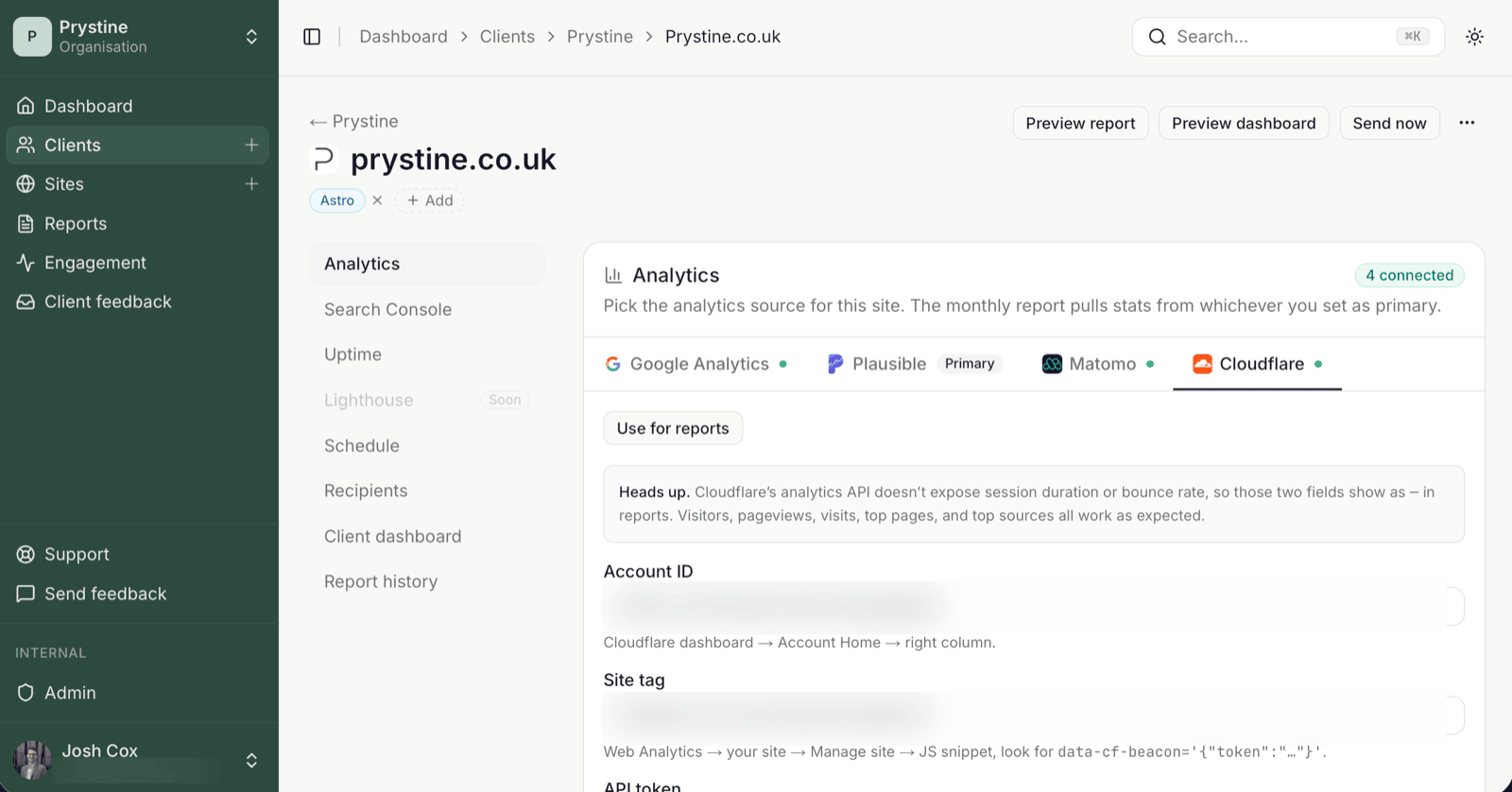
- Account ID — in the Cloudflare dashboard under
Account Home, in the right-hand column. - Site tag — under
Web Analytics→ your site →Manage site→ the JS snippet; it’s thetokenvalue insidedata-cf-beacon='{"token":"…"}'. - A read-only API token — created in Cloudflare with permission to read your account’s analytics.
Connect it
Open the site, go to its Analytics section, and pick the Cloudflare tab. Paste in the account ID, site tag and API token, then save. SendTidings checks the token and starts reading that site’s numbers on a schedule.
Set it as the report source
A site can have Cloudflare connected alongside GA4, Plausible or Matomo, but only one provider feeds the monthly report. Click Use for reports on the Cloudflare tab to make it the source. (The button only shows once a site has two or more providers connected; with one, it’s already the source.) The change takes effect on the next report and any Send now you trigger.
One thing Cloudflare doesn’t give you
Cloudflare’s analytics API doesn’t expose session duration or bounce rate, so those two fields show as — in the report. Everything else a client actually reads is there: visitors, pageviews, visits, top pages and top sources. Worth knowing before a client asks where the bounce rate went.
When the numbers look off
If a report shows 0 visitors but Cloudflare clearly has traffic, it’s almost always one of:
- Cloudflare isn’t the site’s report source: switch it with
Use for reportsin the site’sAnalyticssection. - The site isn’t actually proxied through Cloudflare, or the beacon isn’t running, so there’s nothing to read.
- The API token doesn’t have read access to that account’s analytics.
See also: Primary provider explained · Report shows zero visitors but the analytics tool has traffic