A live client dashboard. No login.
The monthly report is a photograph: true about the month just gone. The client dashboard is the window beside it: a live, white-labelled view of each client’s site, opened with a secure magic link. Same insights, always current, no password to chase.
- ✓White-labelled with your branding
- ✓Magic-link access, no accounts
- ✓Included on Starter & Growth
- Google418
- Direct168
- LinkedIn46
- web design didcot12
- oxfordshire web agency9
- wordpress support5
The portal your clients will actually open.
Plenty of agencies have stood up a beautiful portal that nobody ever signs into. Asking a busy client to make an account and remember a password is asking them never to come back, and that login wall is the single biggest reason portals go unused.
No accounts at all. Clients get in with a secure magic link straight from their report email, or a self-serve “email me my link” page if they’ve mislaid it. No password resets, and no “I’ve been locked out” on a Friday afternoon. It opens, it’s branded as you, and it’s current.
Everything the report covers, live.
The same insights your clients already trust from the monthly email, interactive and always up to date.
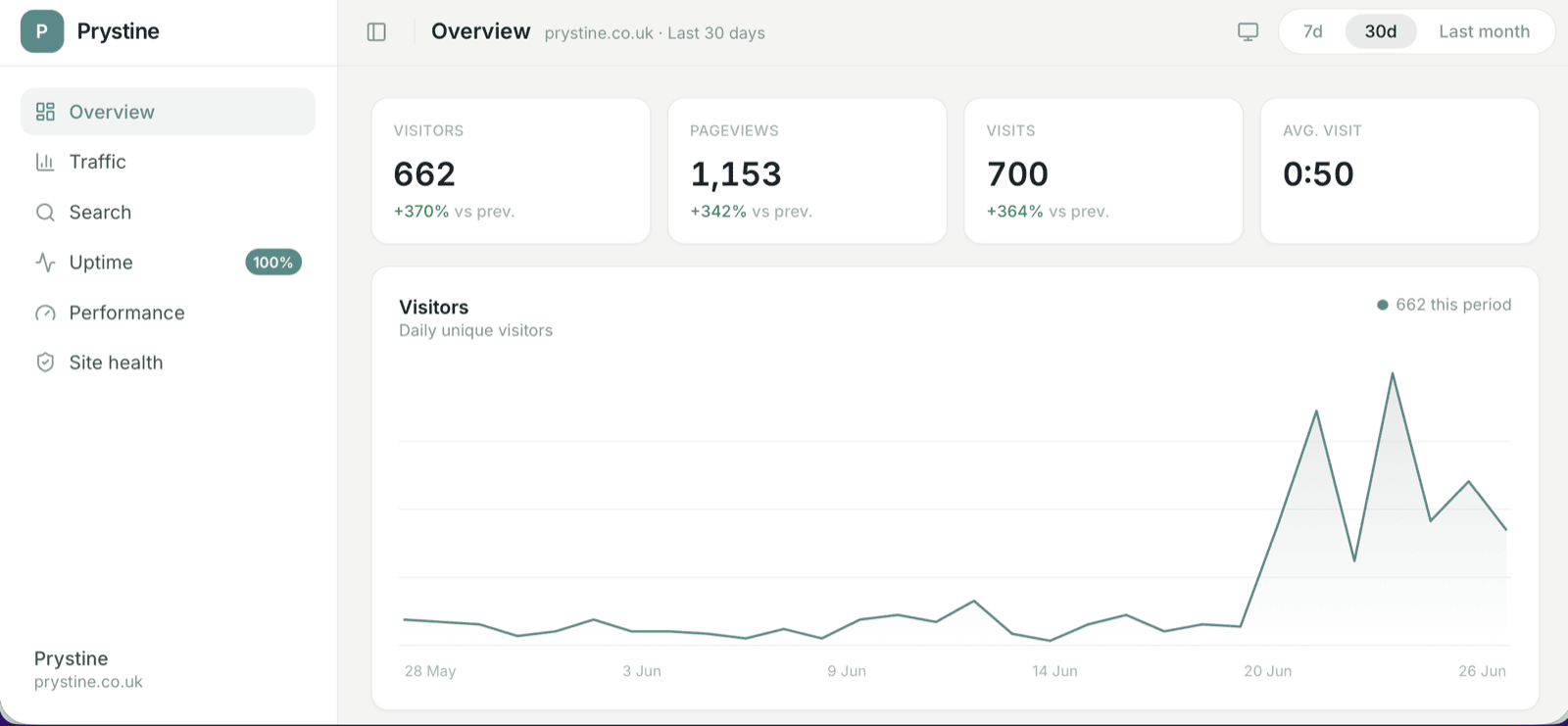
- Traffic. Visitors, page views and how the month is tracking against the last.
- Search. Clicks, impressions, top queries and average position from Search Console.
- Uptime. Up/down and response time, with a day-by-day strip so a wobble is easy to catch.
- Page performance. Speed and the Lighthouse score, the boring-but-critical numbers.
- Site health. SSL, domain expiry and WordPress updates: the questions a client never thinks to ask until something breaks.
Branded, opened, tracked.
Branded as you
Your logo, your colours, your name across it. Set the branding once at the organisation level and every client’s dashboard inherits it.
Opened with a magic link
The client gets a secure link in their report email. One tap and they’re in: no account, no password, works just as well on a phone.
You see who’s looked
Engagement tracking tells you which clients have opened their dashboard, so you know who’s engaged before the renewal conversation.
If a client has five sites with you, they’re all in one place rather than five separate links. There’s a dark mode for the people who insist.
Questions about the client dashboard.
Do my clients need a login or password?
Is the dashboard white-labelled?
What does the dashboard show?
Can I see whether a client has looked at it?
How is the dashboard different from the monthly report?
Which plans include the client dashboard?
Open the demo dashboard and click around.
A made-up garden centre, wired up the way a real client would be. No signup, no sales call: the dashboard is the same one your clients get, and the report is the same one that lands on the 1st.
Once you’re set up you get your own copy of this to send to prospects, carrying your name and colours rather than ours. See the white-label dashboard.
Traffic, conversions, search, uptime and what to do next, all in one place. Open it and click around.
Open the live demo →The monthly email itself, in your inbox, so you can see how it reads on a phone at eight in the morning.
Give your clients a window, not just a photograph.
Start free with the monthly report; add the live dashboard on Starter or Growth whenever you’re ready.