Why your report shows 0 visitors
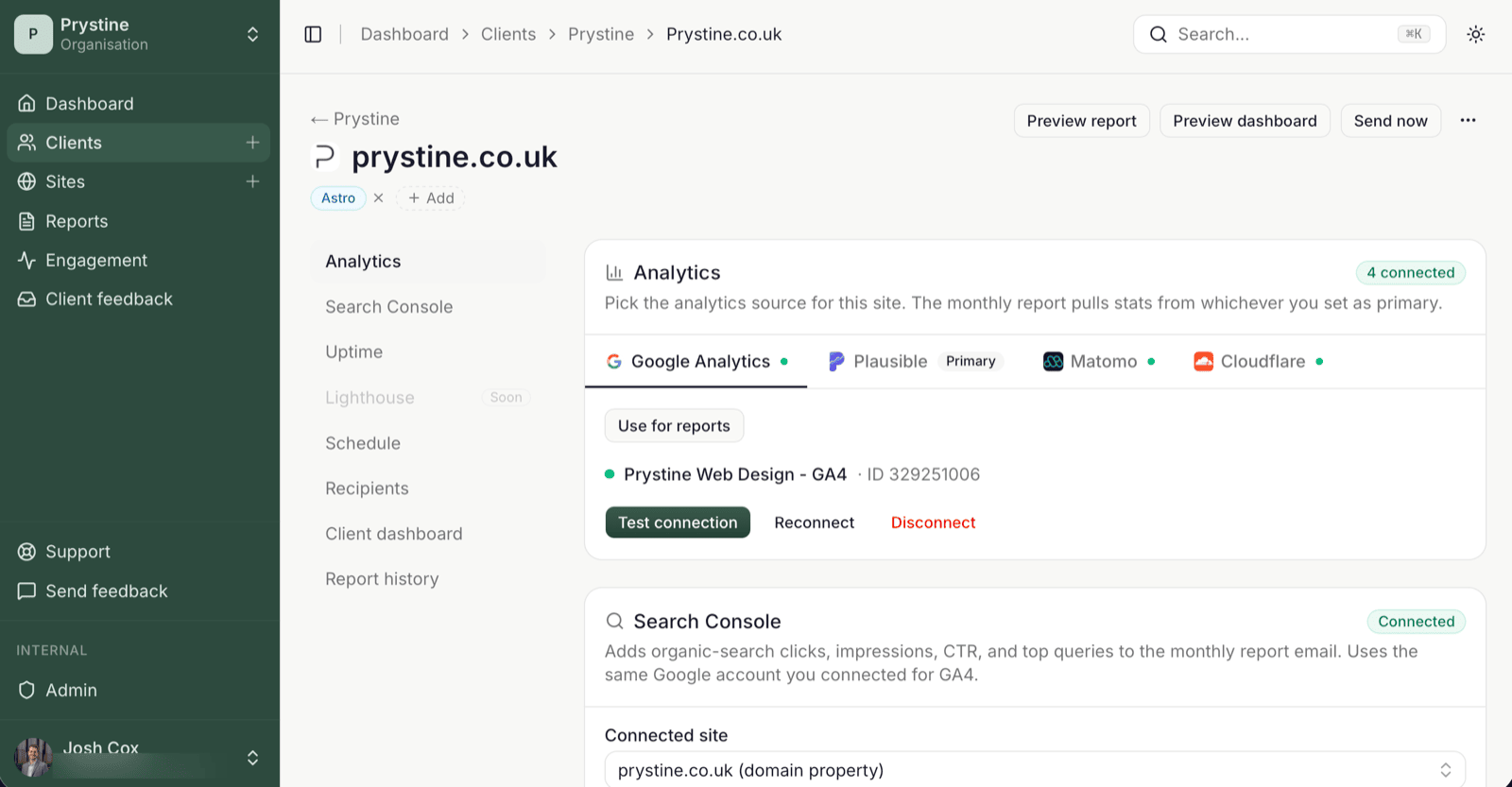
Each site has one primary analytics provider. That’s the one whose numbers go in the monthly report. If you’ve connected GA4 and Plausible to a site, only one of them is feeding the report; the other is just sitting there.
So if Plausible is the primary, but the site’s actual traffic is in GA4, the report renders 0 visitors. Not broken. Just pointing at the wrong source.
How to switch it
Open the site, go to the Analytics section, and click Use for reports next to the provider you actually want. (The button only shows once a site has two or more providers connected — with one, it’s already primary.) The next report (and any Send now you trigger) uses that source.
Why it works this way
A site can have several analytics providers connected at once: useful when you’re migrating, or when you want a backup credential ready. But the report needs a single source of truth, otherwise the numbers in your client’s inbox would be a debate, not a report.
So we make you pick. Connect once, send forever — but pick which one’s driving.
Quick checks if the report still shows 0
- The primary provider has data for the reporting window (check it in GA4 or Plausible directly).
- The credential hasn’t expired; the dashboard will flag this with a banner.
- The site’s date range matches what you expect (monthly, ending the day before send).
See also: Connect Google Analytics 4 · Send test vs Send report