What “connect once” means here
Plausible is an org-level connection. Set it up under your org’s integrations once, and every site you’ve already added, plus every site you add later, can pull from it without you typing the key again. Same picker for Plausible Cloud and self-hosted instances. If you’re self-hosting two or three Plausible servers, they all live side by side and each site picks which one it belongs to.
This is the bit worth knowing up front: you do not paste an API key on every site. Set the connection up once at the org level, then each site just picks it from its analytics settings.
Setup
Head to your org’s Integrations page and pick Connect Plausible.
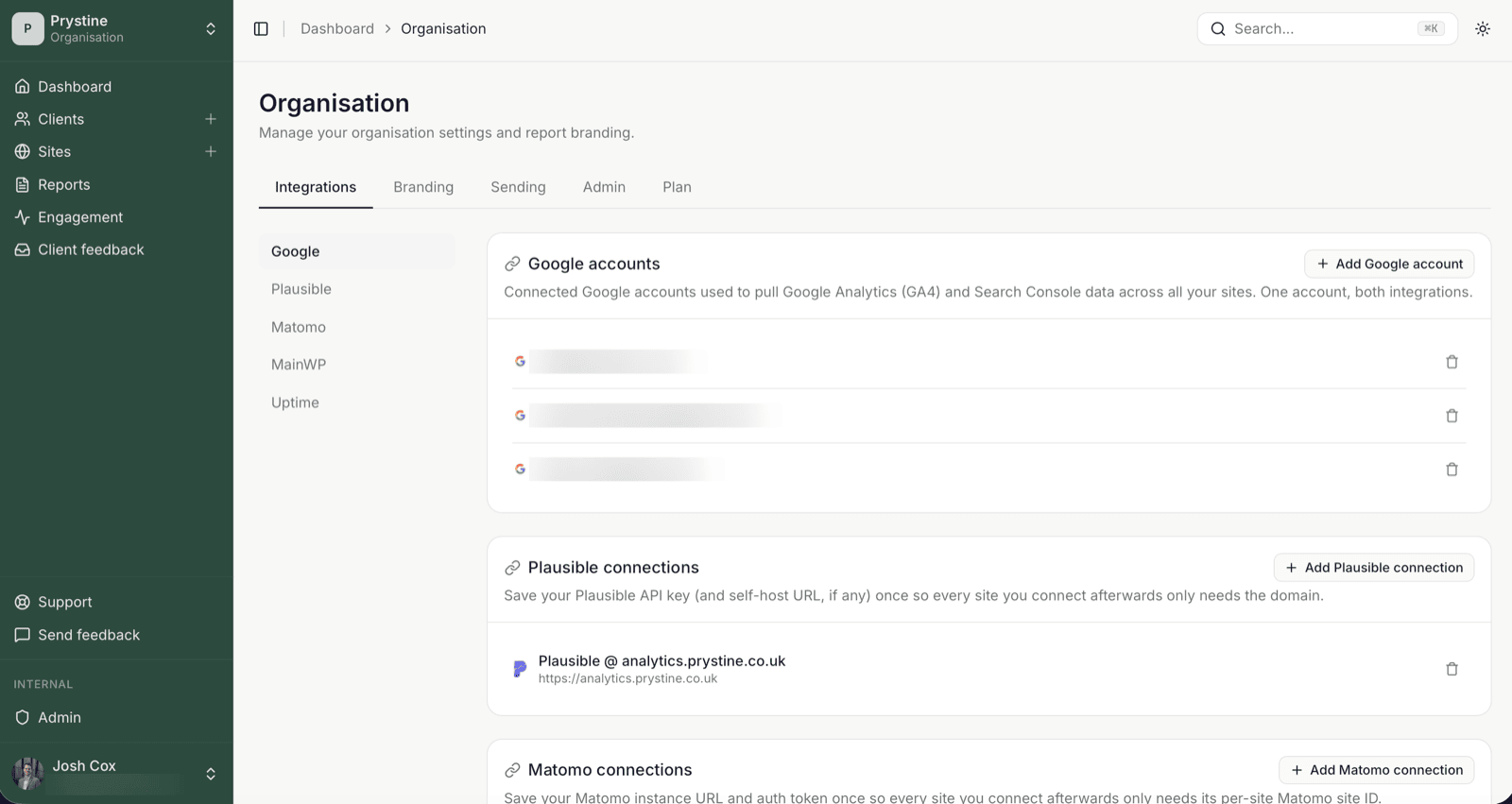
You’ll need two things from your Plausible account:
- A personal API key (Plausible calls this a Stats API key). Generate it under your Plausible account settings.
- The base URL. For Plausible Cloud that’s
https://plausible.io. For self-hosted, it’s wherever your instance lives, e.g.https://analytics.acme-agency.com.
Paste both, give the connection a label you’ll recognise (the label shows up in the site picker), and save.
That’s the org-level bit done.
Adding more instances
Self-hosted agencies often run more than one Plausible box — one for internal sites, one for a specific client, one that survived a migration nobody wants to touch. Click Connect Plausible again and add another. There’s no limit. Each connection is independent: different URL, different key, different label.
When you later attach a site, the picker lists every connection you’ve added. Choose the one that holds that site’s data.
Attaching a site
On any site, open its Analytics section and pick a Plausible connection from the dropdown. Then choose the specific Plausible site (its site_id / domain inside that instance). Save. Done.
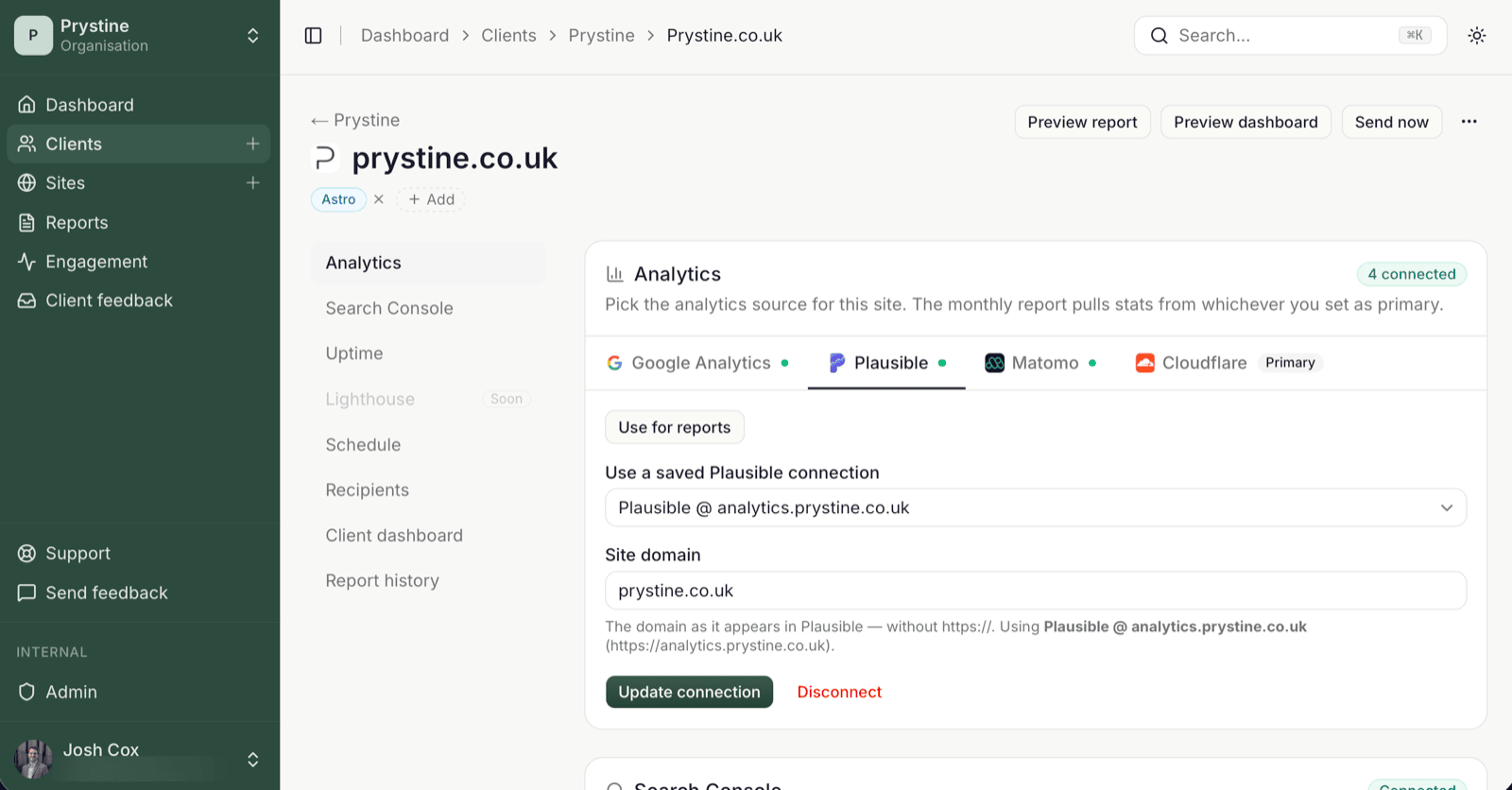
If a site was previously pointed at a different Plausible setup, just pick the org-level connection from the same dropdown instead — that becomes the site’s source from the next report on.
”It connected but my report shows 0 visitors”
Two things to check:
- Plausible is the site’s chosen report source. If you’ve also got GA4 attached and GA4 is the one used for reports, the report pulls from GA4 and Plausible sits in the background. Switch it with
Use for reportsin the site’sAnalyticssection. - The Plausible
site_idmatches the domain Plausible is actually tracking. Easy to mis-pick on instances that host dozens of sites.
Disconnecting vs dismissing
Disconnect removes the credential: every site using it loses Plausible until you reconnect or switch provider. Dismiss is the small Dismiss alert on the dashboard’s connection-health warning — it just clears that warning, it doesn’t fix or remove anything. They’re different buttons doing different things, so read before clicking.
See also: Primary provider explained · Connect Google Analytics 4