The fix
Your site has a primary provider: the one we actually read for the report. If it’s set to Plausible but your data lives in GA4, the report pulls from an empty source and the visitor count comes back as zero. Switching takes one click.
- Open the site in SendTidings.
- Find the
Analyticssection. - Click
Use for reportsnext to GA4 (or whichever provider actually has your data). - Click
Send nowto regenerate.
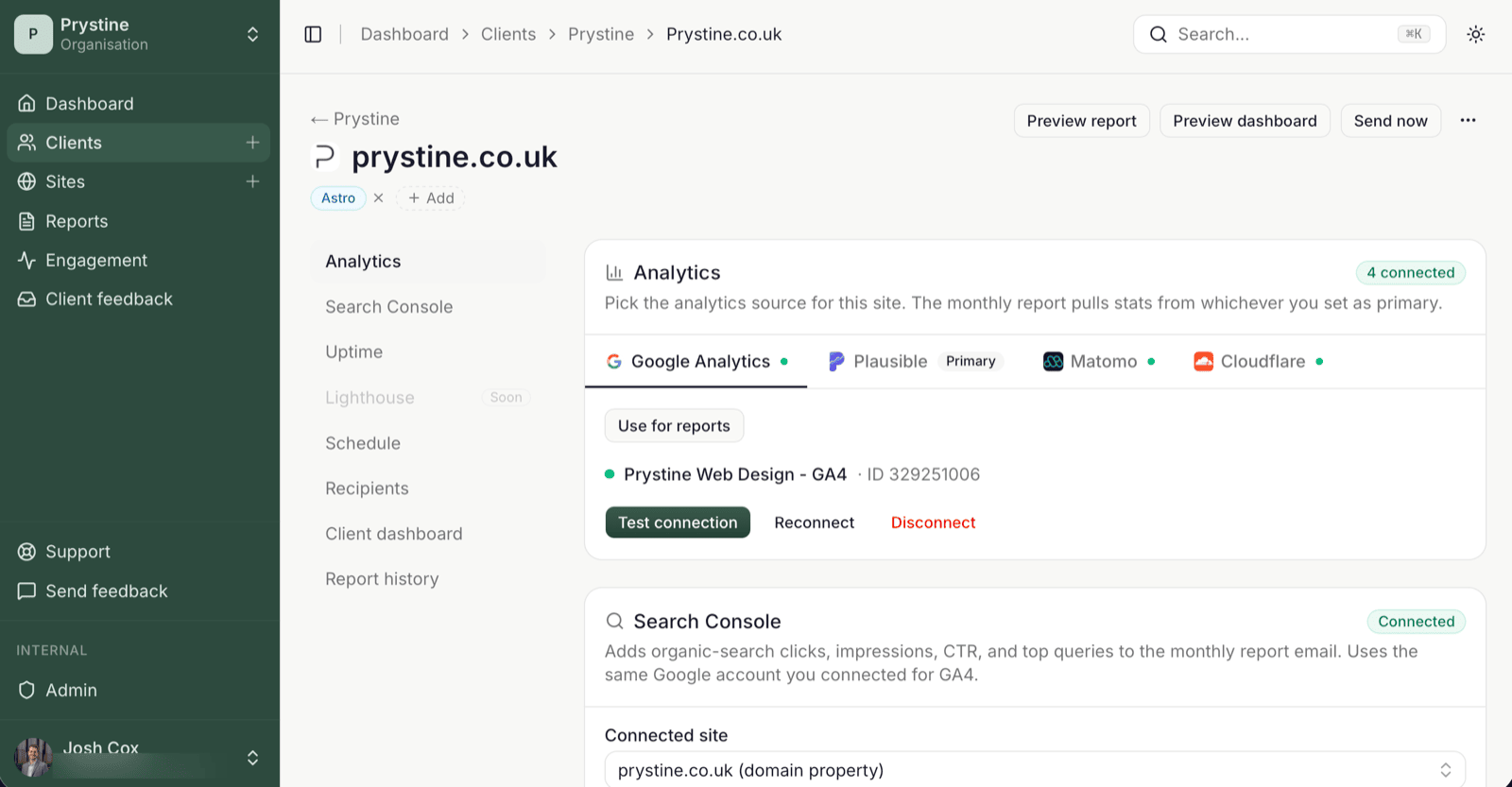
Done. The next report will pull from the right source.
Why this happens
Most sites end up connected to more than one analytics tool over their lifetime — GA4 from years ago, Plausible added recently, maybe Matomo on a self-host. SendTidings is happy to hold all of them, but only one feeds the monthly report at a time. That’s the primary.
When you first connect a provider, it’s set as primary automatically. Connect a second one and the original stays primary unless you change it. So if you wired up Plausible first (before there was any data in it) and GA4 has been collecting traffic the whole time, the report’s looking at the wrong shelf.
How to tell which one to pick
Whichever tool you actually use day-to-day. Open it in another tab; if the numbers there look right and the SendTidings report shows zero, that’s your primary.
You don’t need every provider connected. One is enough. If Plausible isn’t doing anything for this site, you can disconnect it entirely from the same panel and skip the toggle.
If switching didn’t fix it
A few things to check before opening a ticket:
- The provider you switched to is actually receiving data: confirm in the provider’s own dashboard.
- The connection isn’t showing a red
Reconnectbadge. Expired tokens return zeros too. - The site’s date range in the report matches a period with traffic (a brand-new site with three days of data won’t fill last month’s report).
See also: Primary provider explained · Why the Opened badge hasn’t appeared yet